#OAK-1079just nowNew
 2× Nduja and honey+1 more
AcceptReject
Online ordering for independent UK restaurants
0%commission,
on every order
Orda gives your restaurant its own ordering site, a till, a kitchen screen and a dashboard — for one flat monthly price. We never take a penny from an order.
Plans from £49 a month plus VAT. No card fees from us, ever.
How an order moves
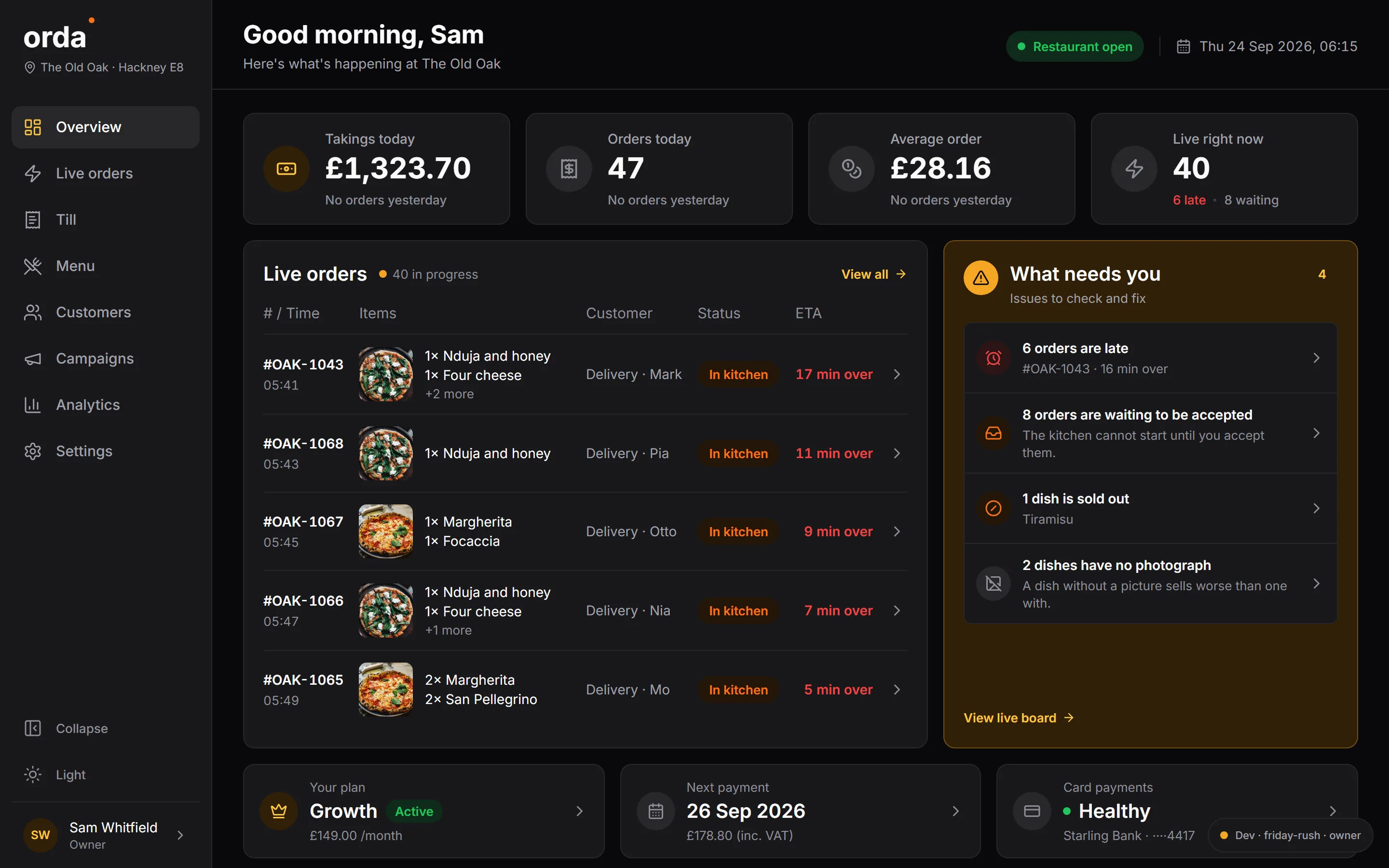
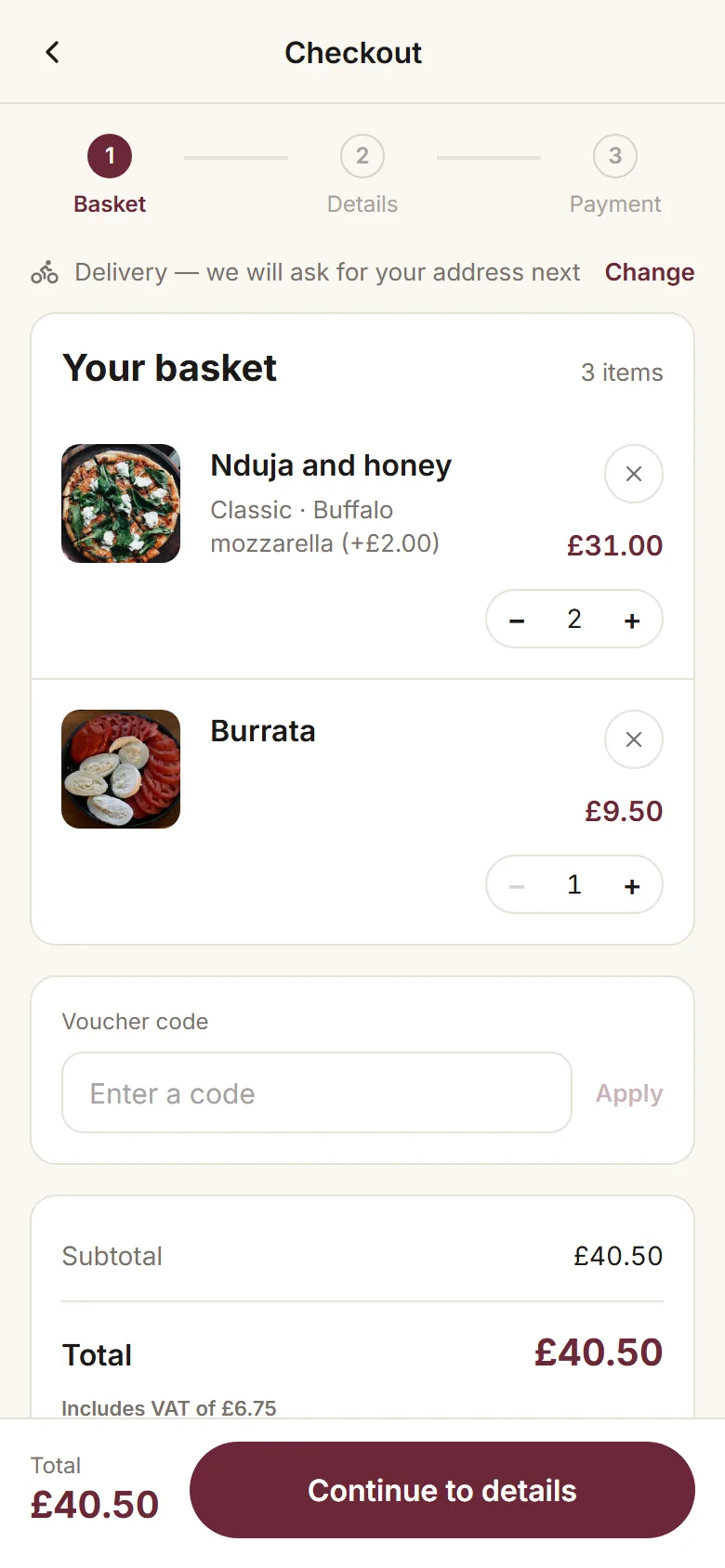
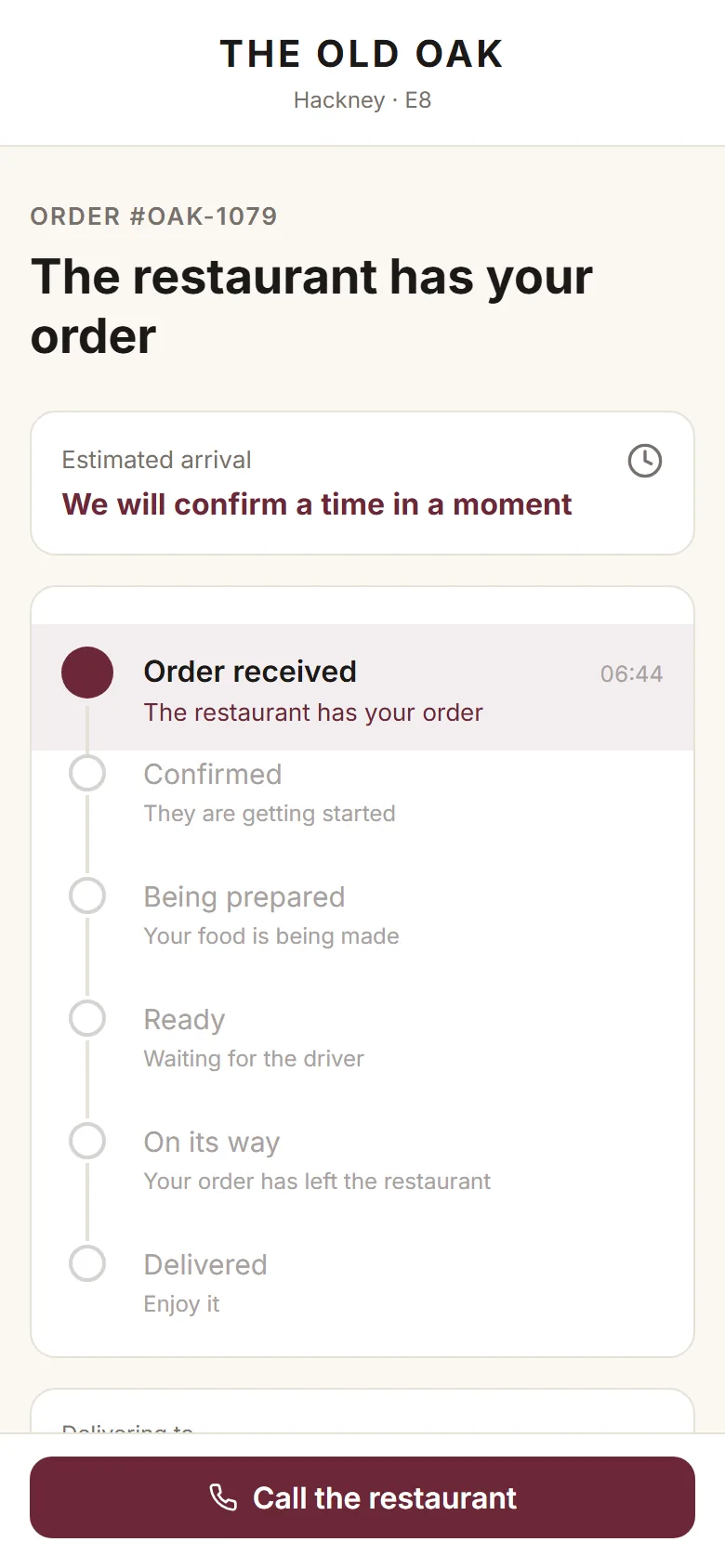
One order, three screens. Watch #OAK-1079: paid on the phone, on your board before the diner has put the phone down, on the kitchen screen a second later. Nothing typed twice.
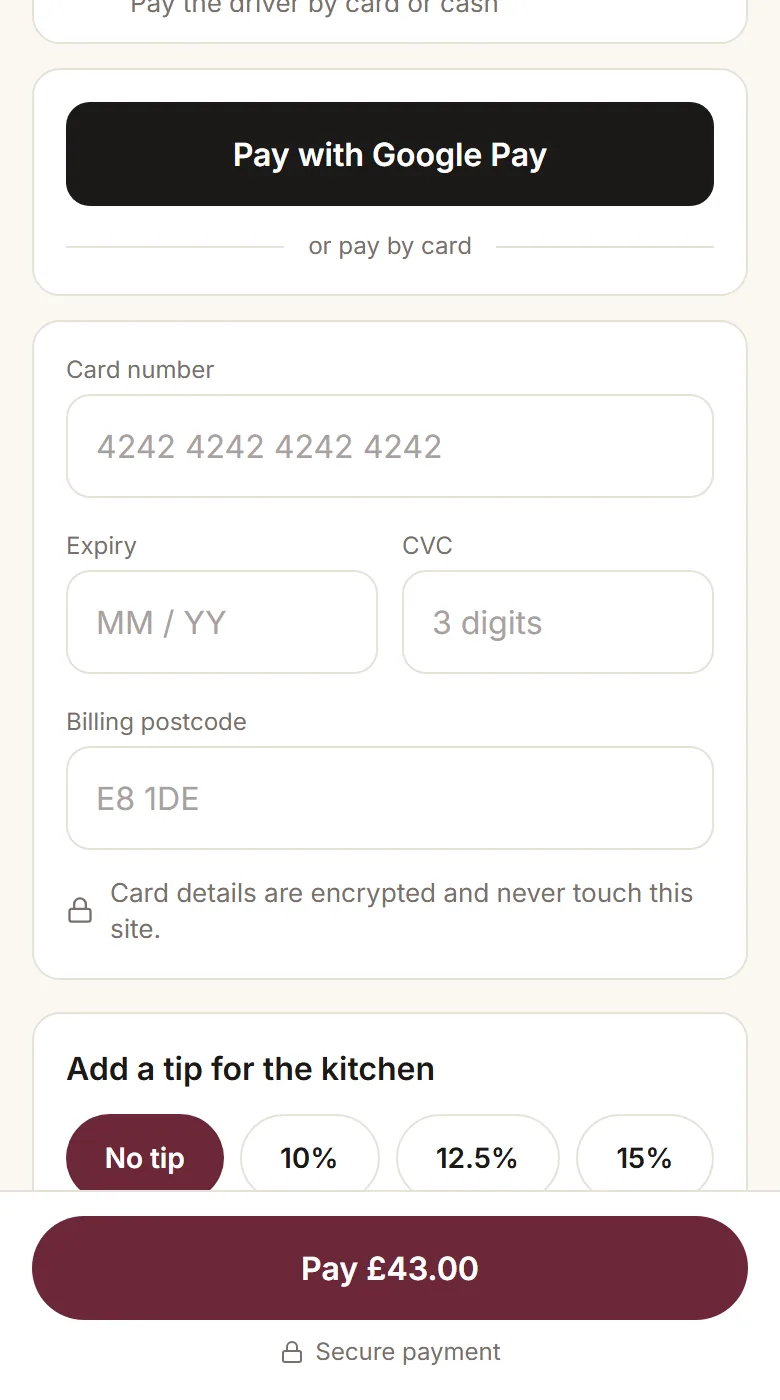
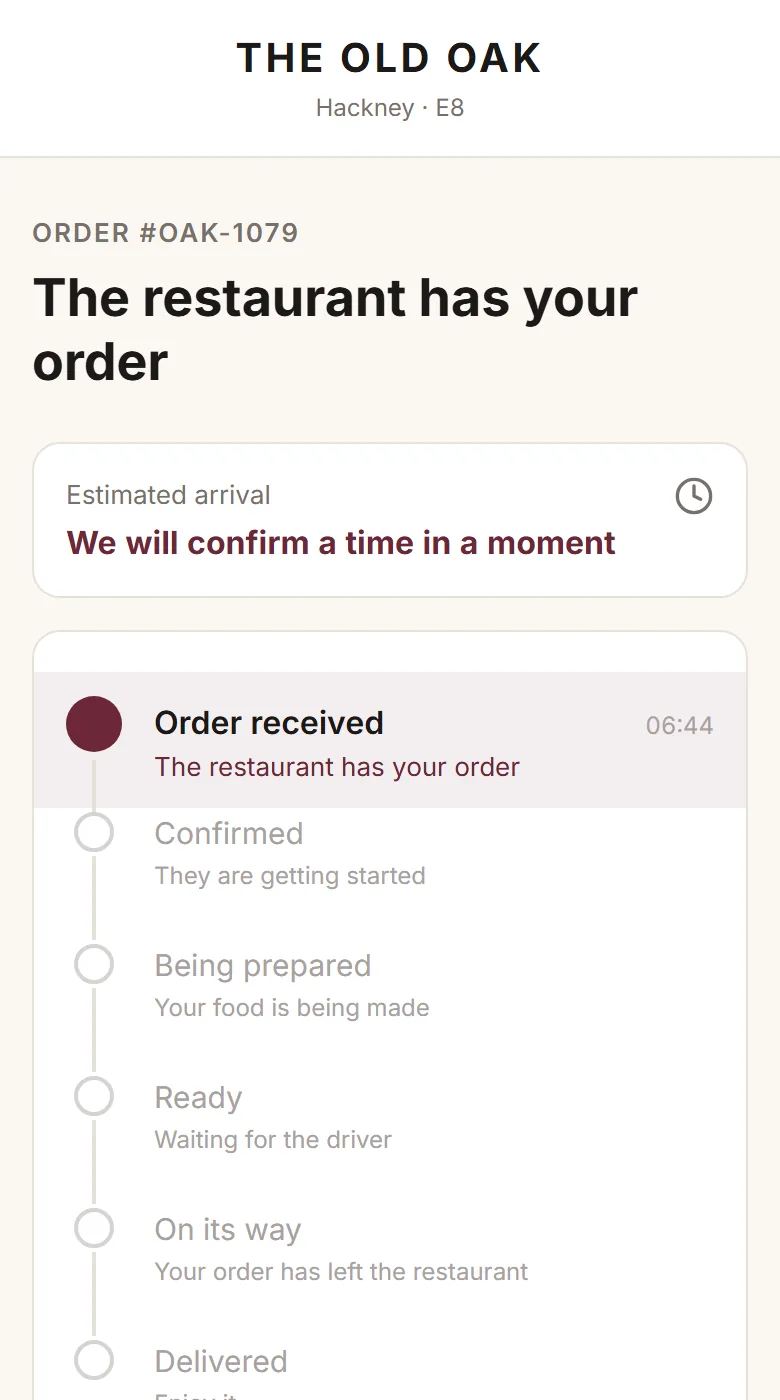
1Paid on the phoneThe diner taps Pay. The card is charged and the order is placed.
2× Nduja and honey+1 more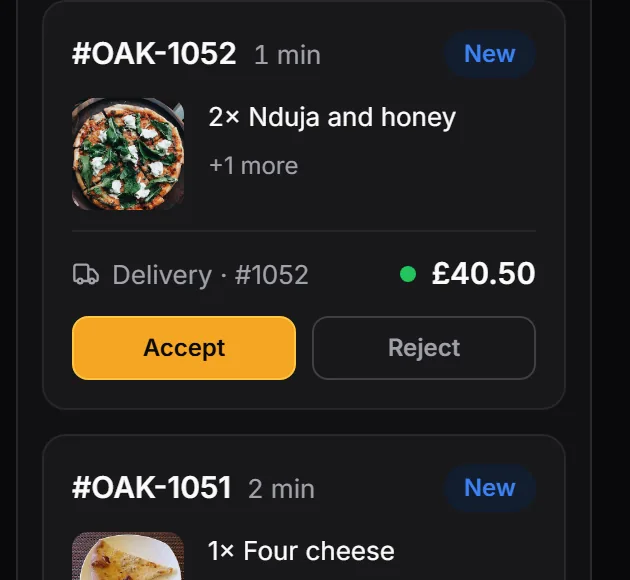
2On the boardThe same order lands in Placed, with a chime, before the phone is down.
2× Nduja and honey
+ Buffalo mozzarella
1× Burrata
Mark ready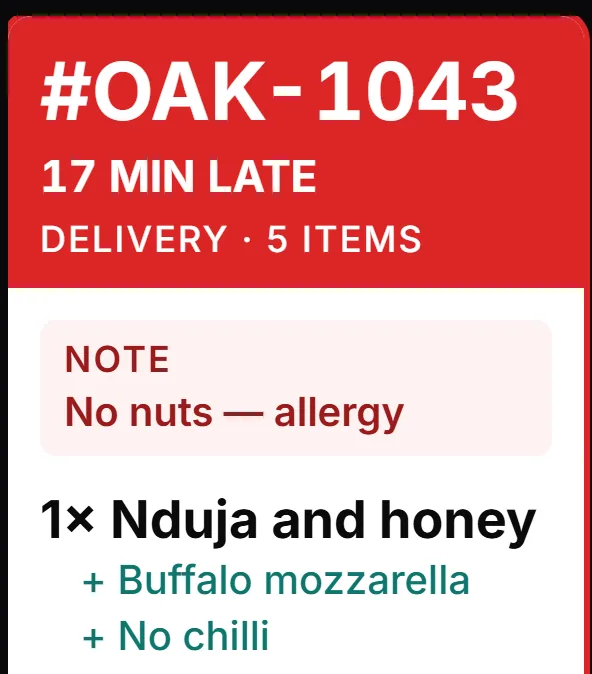
3On the kitchen screenThe ticket is in the kitchen a second later, allergy notes and all.
The product
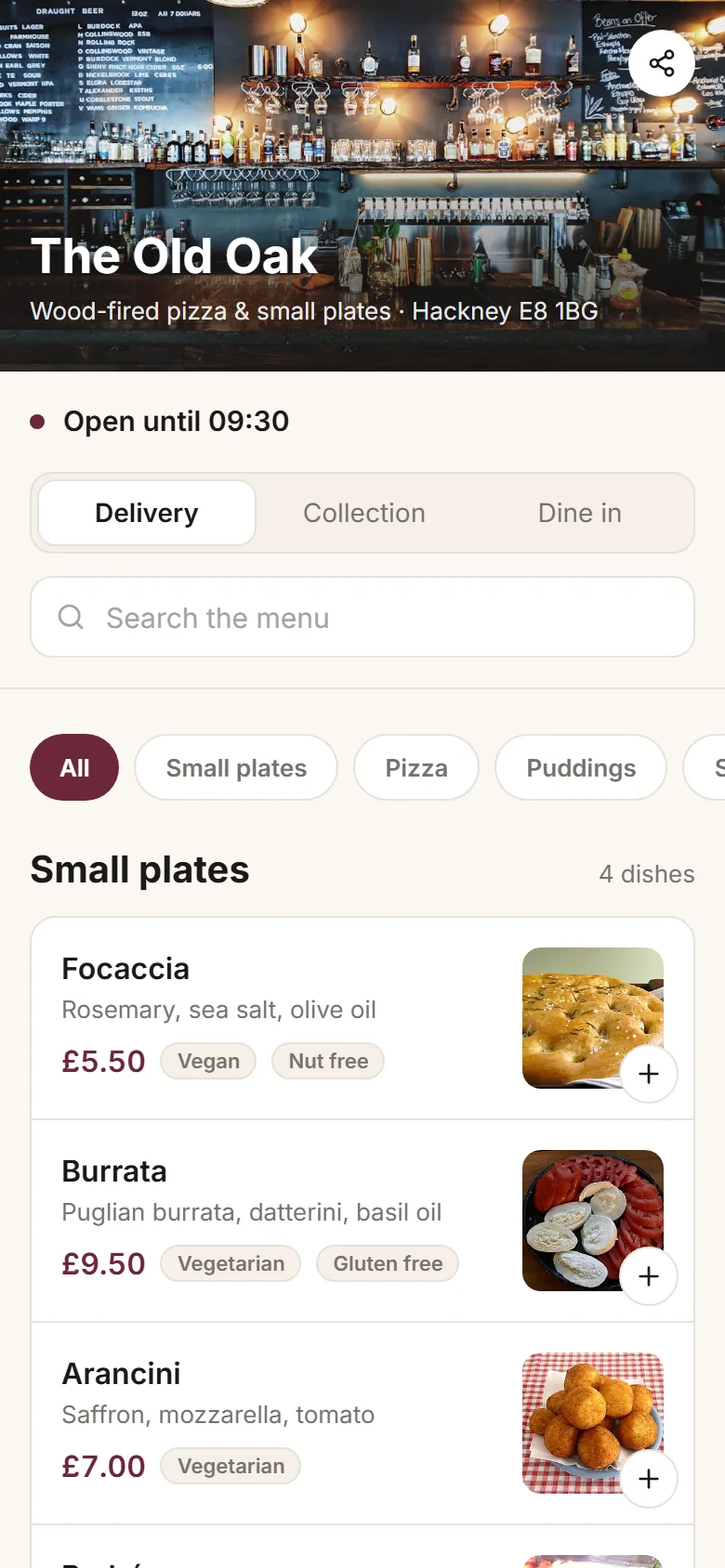
Real screens from The Old Oak in Hackney: the storefront diners see, the board and the kitchen screen the order moves through, the till at the counter, and the customers you keep.
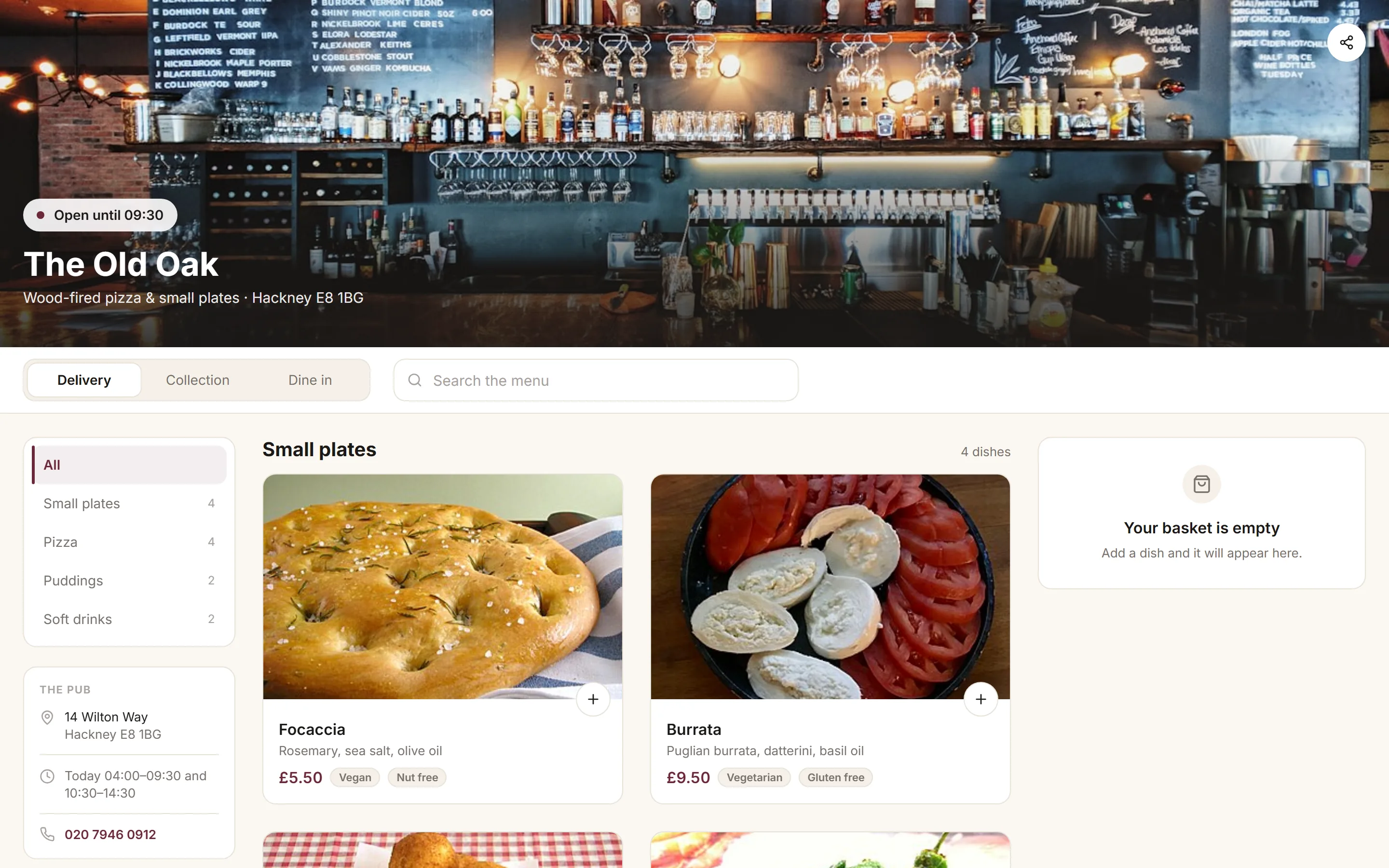
Your own storefront
No app to download, nothing to install. Your menu, your photos, your colours — and the order goes straight to your kitchen.
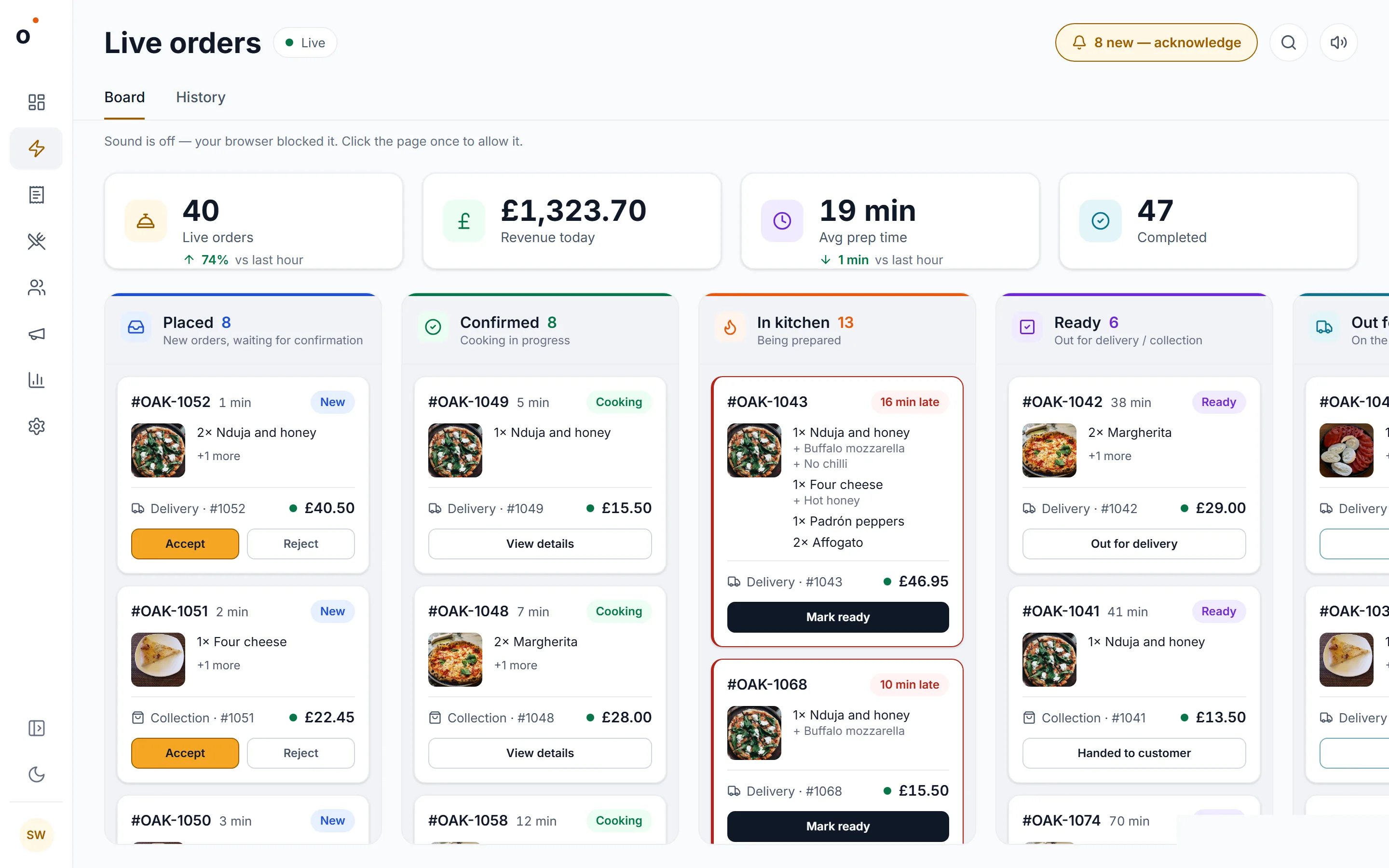
Every order, live
Orders arrive the second a diner pays, move from placed to in the kitchen to ready, and the late ones shout. Accept, cook, hand over — nothing typed twice.
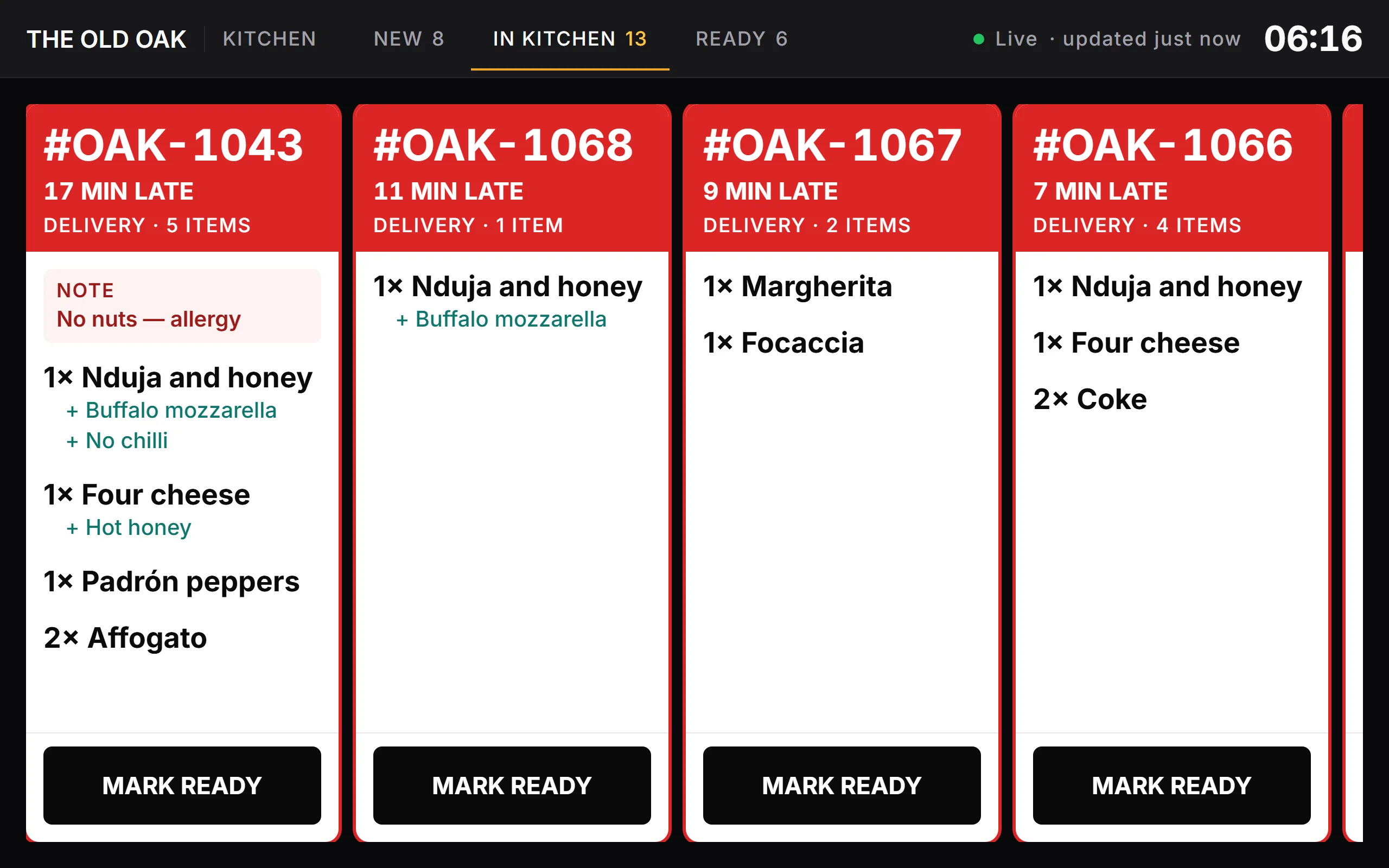
The kitchen screen
Green when it is fresh, amber when it is due, red when it is late. Allergy notes sit on the ticket, and one tap marks it ready. Any tablet on the pass will do.
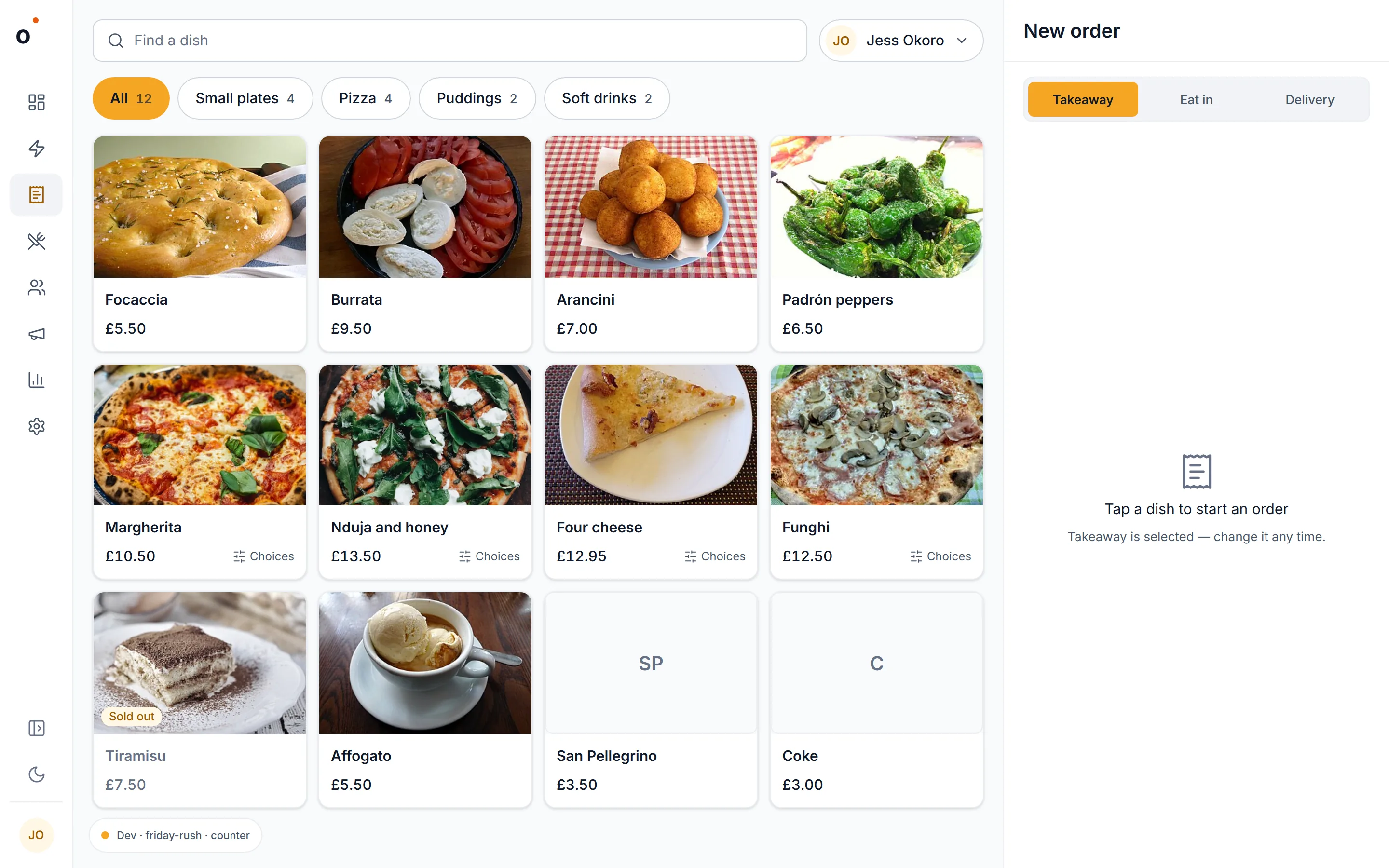
A till on the same system
Your team signs in with a PIN and rings up at the counter. Till orders and online orders share one board, one kitchen screen and one set of figures.
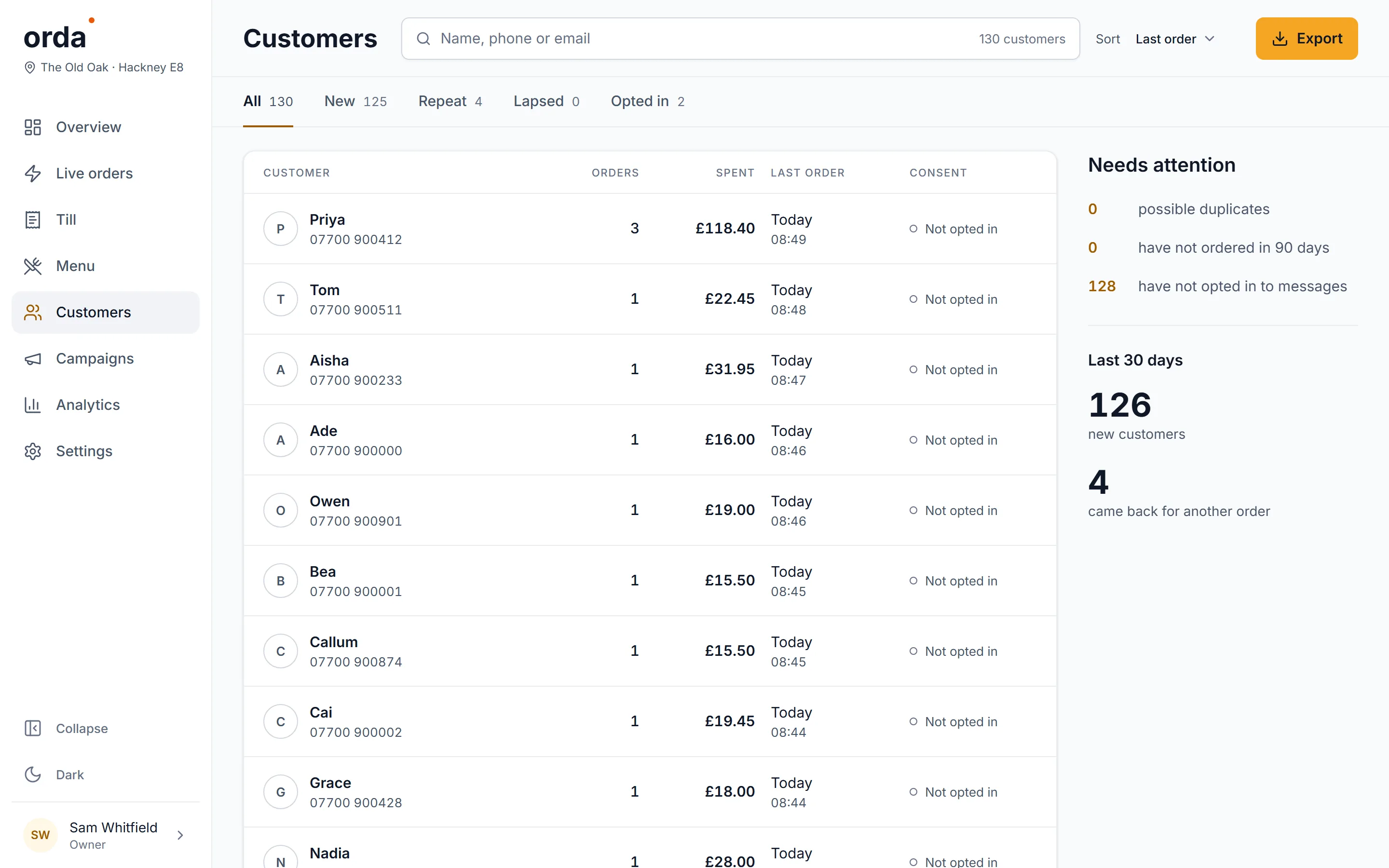
Keep your regulars Growth plan
Every diner who ticks the box becomes a customer you can reach: email and text campaigns to the people who already love your food.
The back office
The same dashboard, the rest of its rooms. Scroll, or pick one.Keep scrolling to see all eight.Swipe through them.
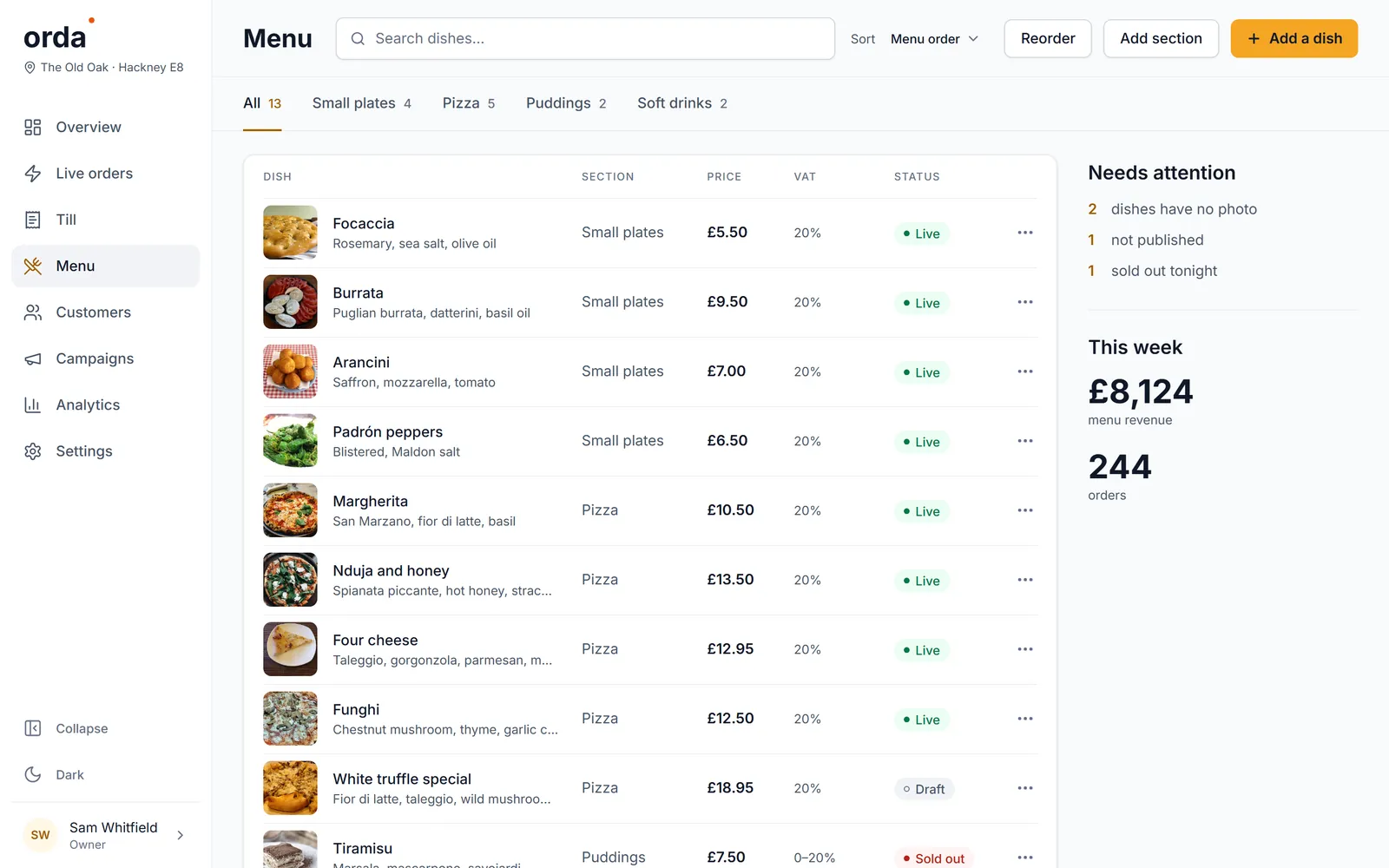
Dishes, photos, choices and extras. Sold out in one tap.
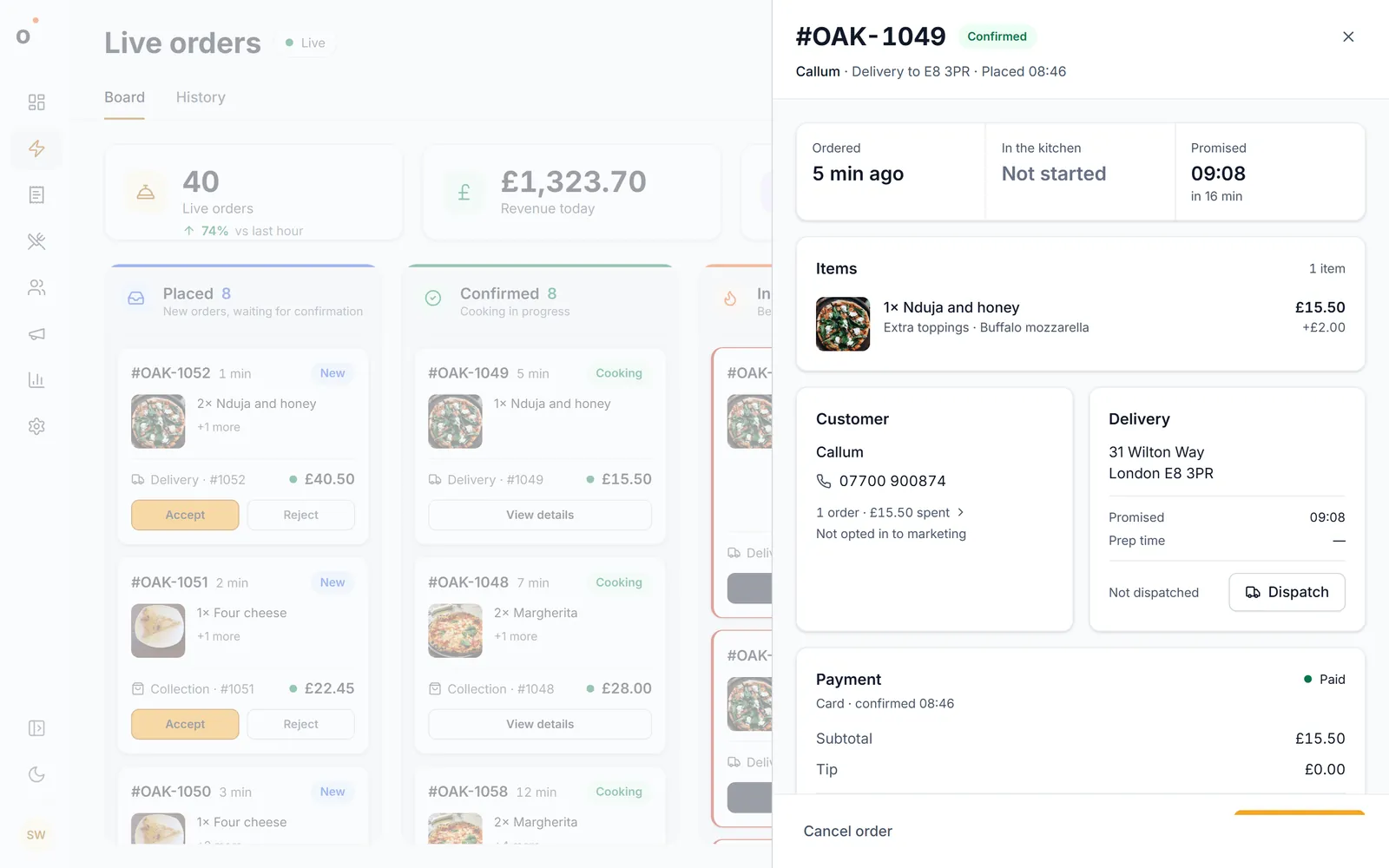
Items, customer, address, payment. Dispatch a courier, refund a line.
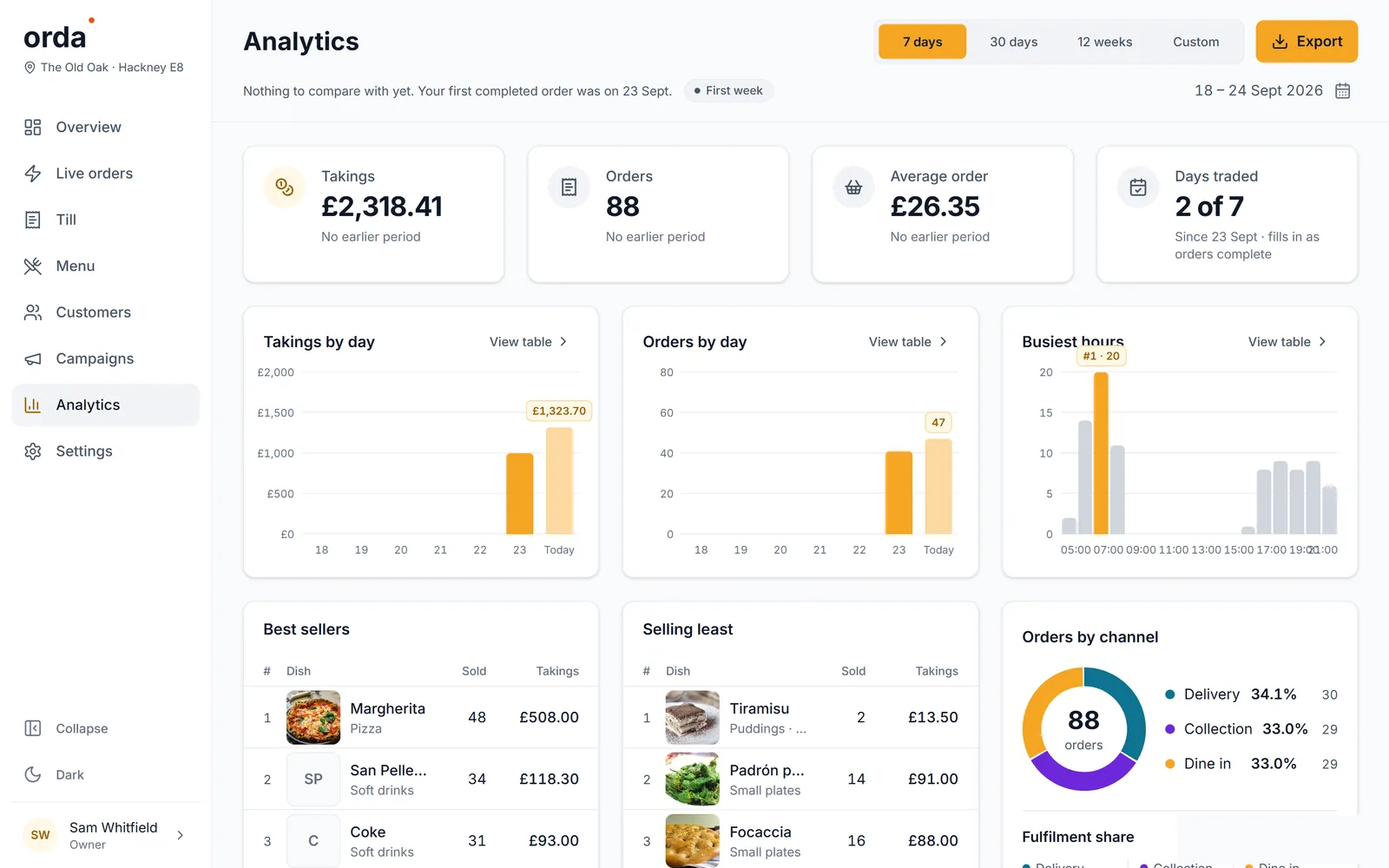
Takings by day, busiest hours, best sellers, channels.
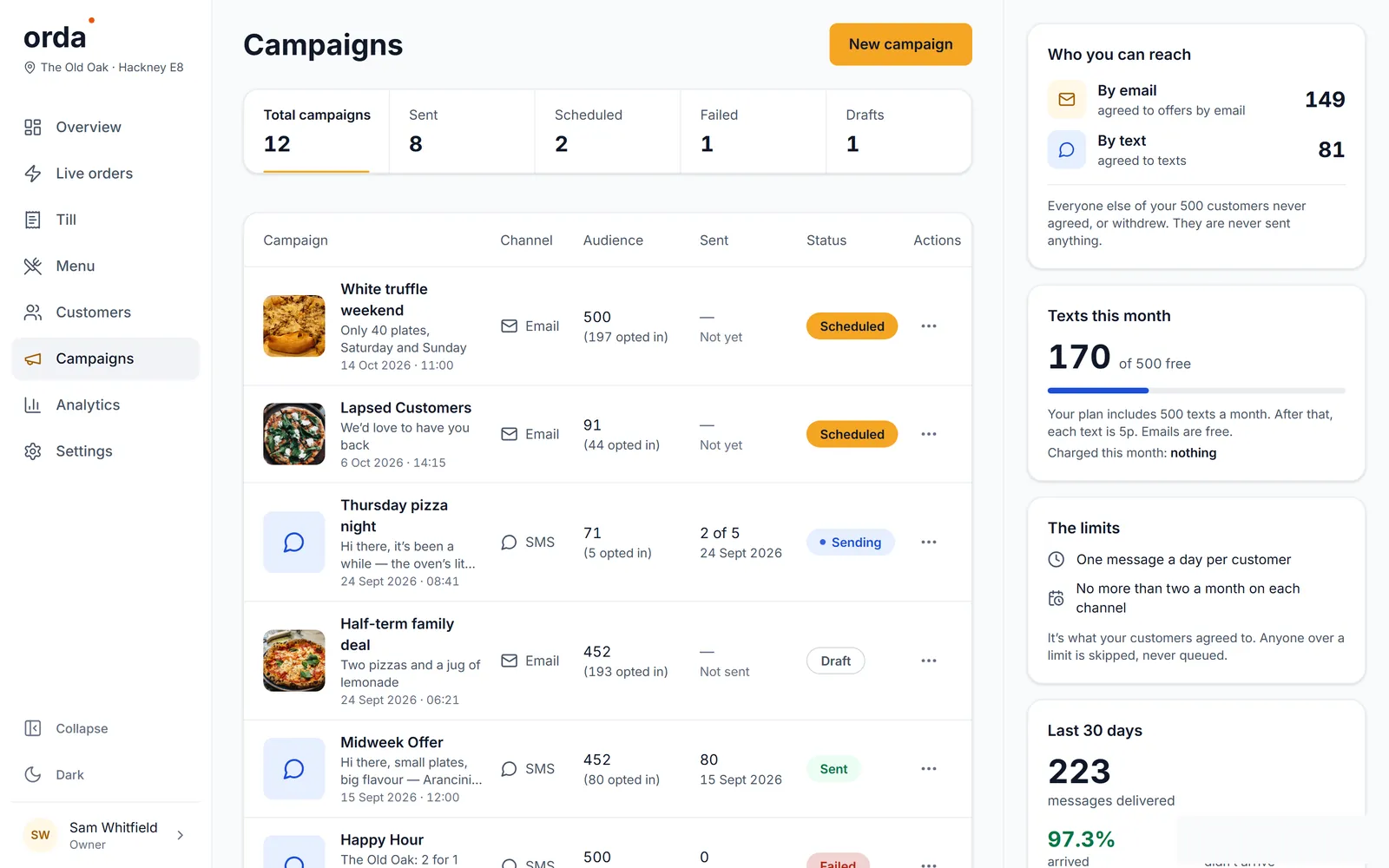
Email and text the people who opted in.
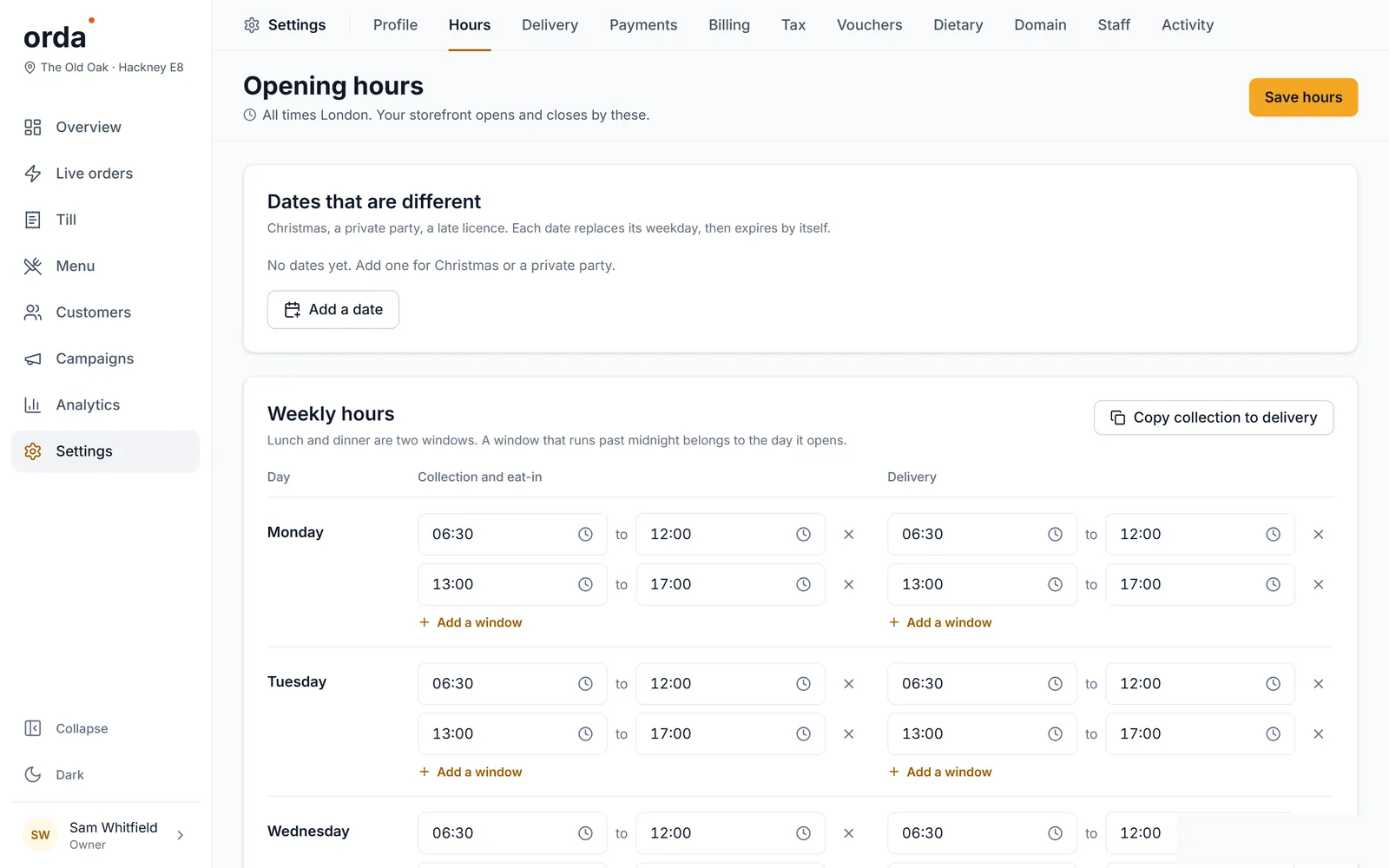
Lunch and dinner windows, dates that are different.
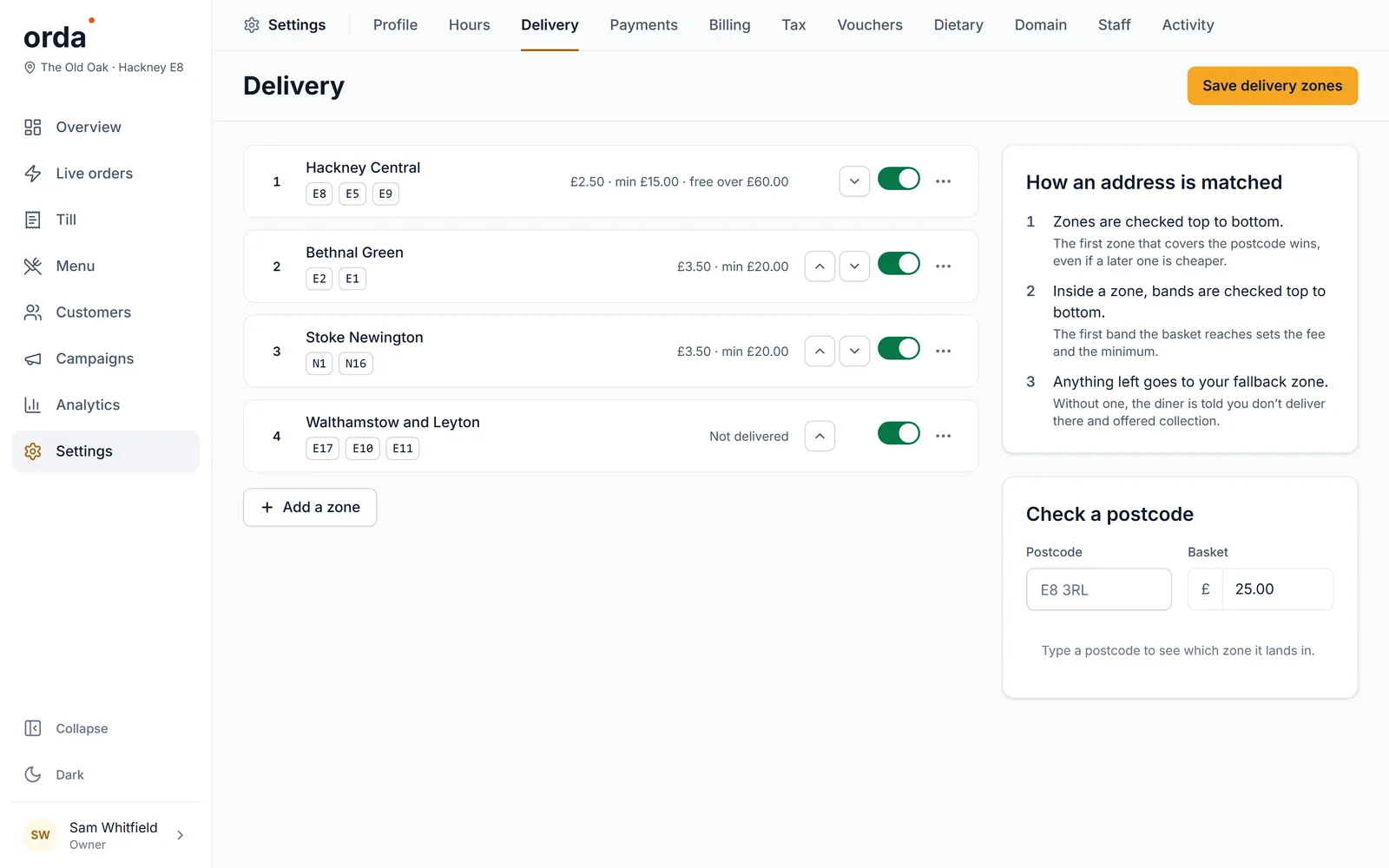
By postcode, each with its fee, minimum and free-over.
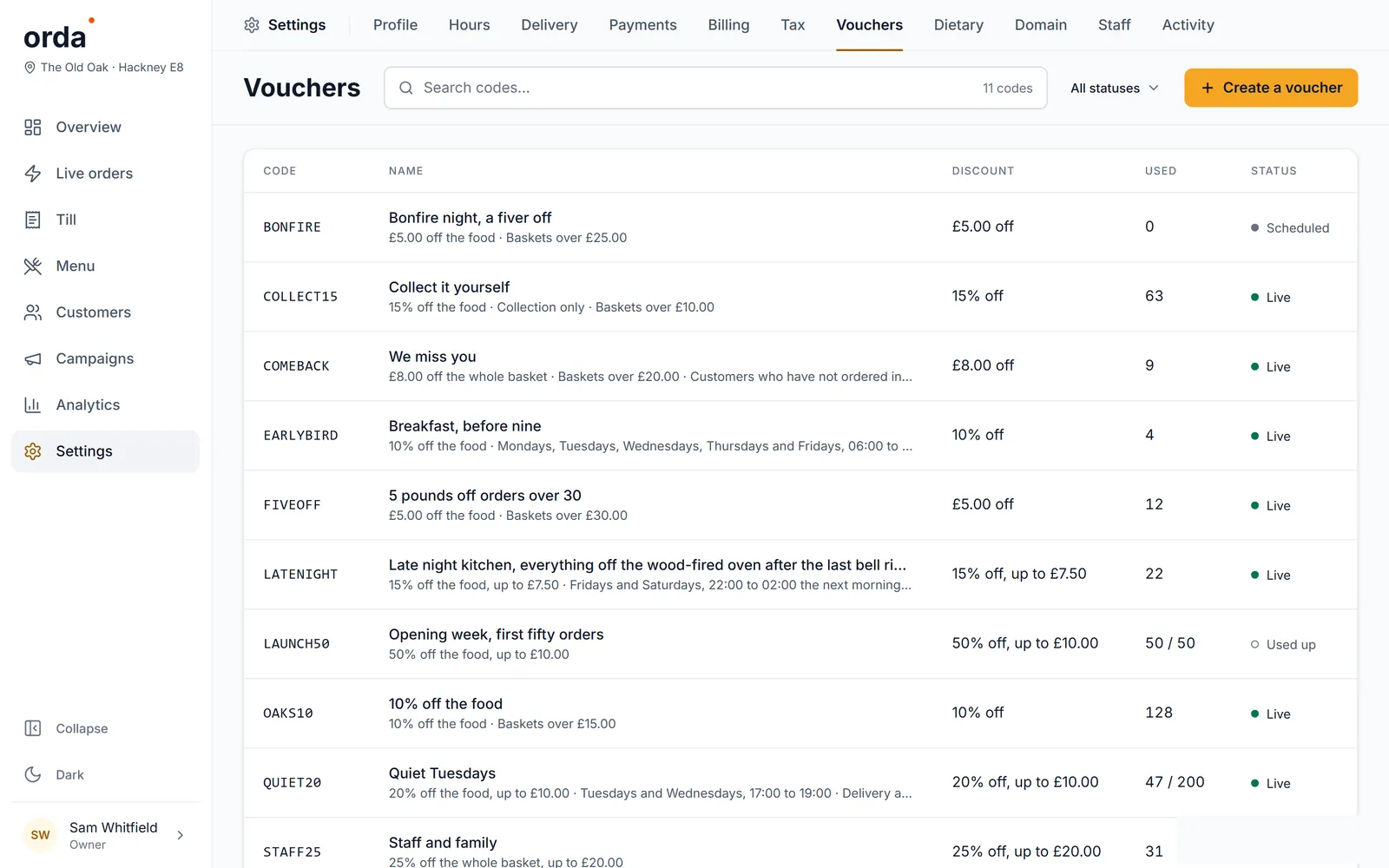
Pounds or percent off, minimum baskets, quiet Tuesdays.
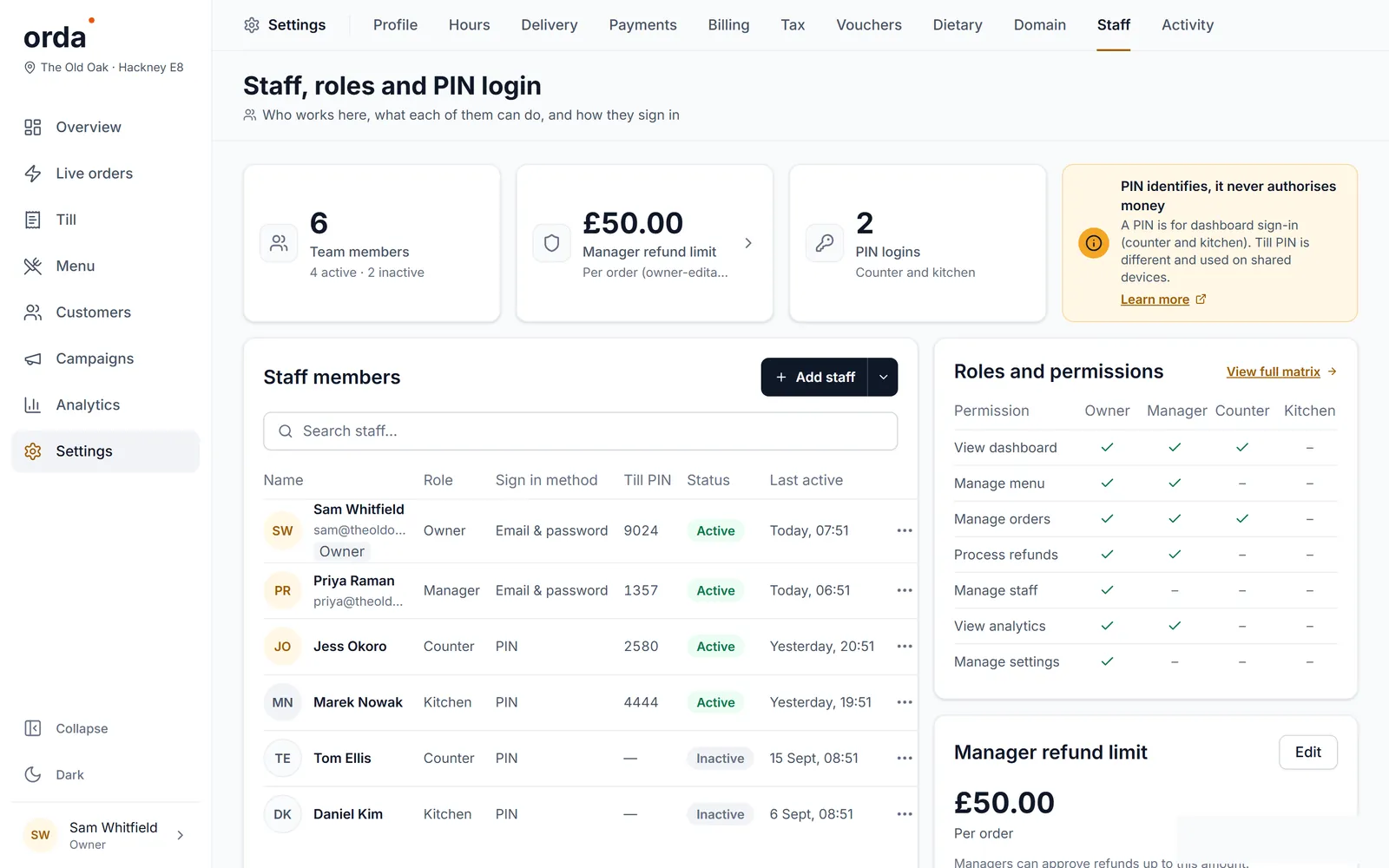
Owner, manager, counter, kitchen. PINs for the till.
How it works
Your name, your address and a fresh menu, ready the same day.
Photos, prices, dietary tags and delivery zones. Change anything, any time.
Diners order from your site or from the table. Orders land on your board and your kitchen screen.
Every plan starts with a 30-day free trial. Prices are per restaurant, per month, plus VAT.
£49a month plus VAT
£58.80 with VAT
Take orders on your own site, at your own counter, with your own name on it.
Start free trialRecommended
£149a month plus VAT
£178.80 with VAT
Keep the customers you win — records, campaigns, and social that writes itself.
Start free trial£299a month plus VAT
£358.80 with VAT
Growth run for you, with ads managed and a report every week.
Start free trialOrda takes 0% of every order on every plan. Card payments go through Stripe, and Stripe’s own card fee applies. Cancel any time.
Questions
No. Orda takes 0% of every order, on every plan. You pay one flat monthly price per restaurant.
Everything in your plan for 30 days. A card is taken up front and nothing is charged until the trial ends.
Through Stripe, paid into your own bank account. Stripe’s own card fee applies; Orda adds nothing to it.
Upgrade any time and the difference is charged for the rest of the month. A downgrade or a cancellation takes effect at the end of the month you have paid for.
No. They order on your own website, on any phone, tablet or computer. There is nothing to download.
Any tablet or laptop with a browser for the till and the board, and a tablet on the pass for the kitchen screen. Nothing to install and no special hardware to buy.
30 days free, then from £49 a month plus VAT. 0% commission, always.